Collect structured wholesale product data from 1688 product and search URLs. Very high data coverage: up to 21 fields are available for each product.
Issues and feature requests
If you encounter an issue or need a field added, open an issue on the Actor page or write to hello@123webdata.com.
Output Example (simplified)
The overview shows the most useful fields in a table. Product images are displayed as thumbnails when the website provides them.
| Image | Product URL | Product ID | Product name | Current price | Maximum price | Minimum order | Order unit | Currency | In stock | Brand | Seller | Scraped at |
|---|---|---|---|---|---|---|---|---|---|---|---|---|
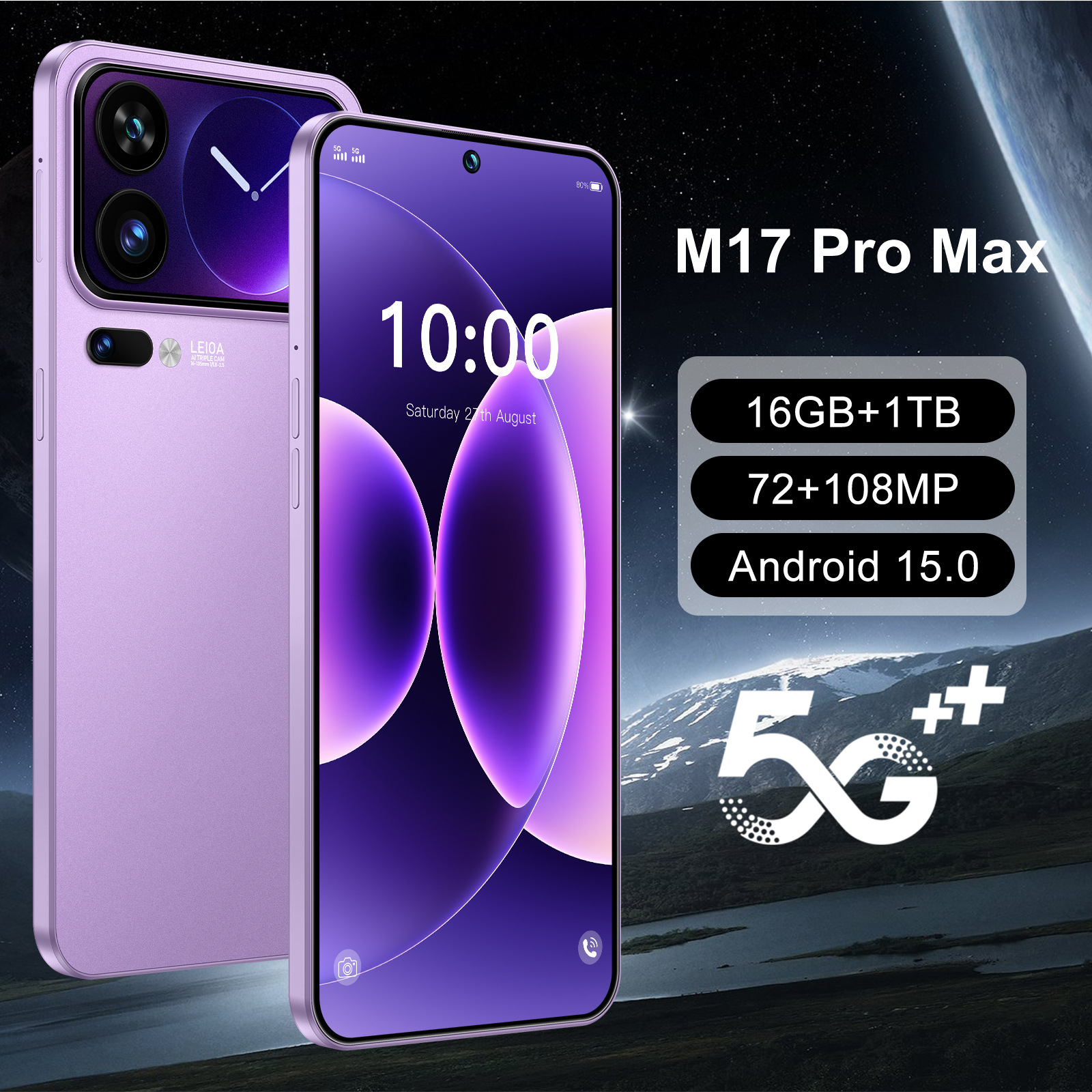 |
https://detail.1688.com/offer/1010672633131.html | 1010672633131 | M17 Pro Max跨境新款7.3寸incell屏3+16G安卓智能4G全网通手机 | 265 | 265 | 1 | 部 | CNY | LANDVO/朗达沃(办公用品) | 深圳市流虹电子商务有限公司 | 2026-08-26T22:10:59.030Z |
How to scrape supported list pages
This Actor accepts individual product links in productUrls. It accepts search result pages in categoryUrls.
- Open a supported list page in your browser.
- Run a search you need.
- Copy the final URL from the address bar and paste it into
categoryUrls.
The Actor follows the products shown on that page.
Add one or more List URLs to scrape. categoryUrls is labelled List URLs in the Console and accepts search result pages.
Scrape 1688 Search Pages
Pass a search results URL and the Actor collects the products that match your query. Example: https://s.1688.com/selloffer/offer_search.htm?keywords=%E6%89%8B%E6%9C%BA
The scrapeProductDetails option (labelled Include product details) decides what each List URL produces. When it is enabled, the Actor visits each product page and returns the full detail records; when it is disabled, the Actor returns one list-level record per product card with the fields that are always included.
Features
- Scrapes detailed wholesale product information from 1688 product pages
- Accepts individual product URLs and search result pages
- Lets you limit the number of saved products and choose whether to continue through additional result pages
- Returns structured prices, minimum order terms, suppliers, product images, and variants for viewing, export, and analysis
Pricing
This Actor uses pay-per-event pricing. Its running costs are included.
- Actor start: $0.02 once per run — One fixed charge for starting a run.
- Result: $0.00089 each ($0.89 per 1,000) — A product record collected directly from a supported list page.
- Product detail: $0.00199 each ($1.99 per 1,000) — A full product record collected from its product page.
The start charge applies once per run. Each saved product is charged either as a Result or a Product detail, never both.
| Results in one run | Result | Product detail |
|---|---|---|
| 100 | $0.11 | $0.22 |
| 1,000 | $0.91 | $2.01 |
Apify's Free plan currently includes $5 in monthly usage credits. If the full $5 is available for this Actor, one run covers about 5,595 Results or 2,502 Product details. Other Apify usage reduces the available credit.
Input
The Actor accepts the following input parameters:
| Field | Type | Description |
|---|---|---|
productUrls |
array | Product URLs to scrape |
categoryUrls |
array | Supported list pages: search result pages |
maxResultsPerScrape |
integer | Maximum number of product records to save |
usePagination |
boolean | Whether to continue through additional result pages |
scrapeProductDetails |
boolean | If the Include product details option is enabled, the Actor visits each product page for the full detail record; if it is disabled, the Actor returns one list-level result record per product card. Both field lists are in "What data you get in each mode" below. |
What data you get in each mode
Every saved product is stored as one record. scrapeProductDetails decides which mode you receive; the lists below name every field each mode can return. A field is empty when the website does not show that information.
Result
A list-level product record with 13 declared fields:
url, product_id, name, price, currency, minimum_order_quantity, minimum_order_unit, main_image, images, seller_name, attributes, canonical_url, scraped_at
Product detail
A full product record with 21 declared fields:
url, product_id, name, price, max_price, currency, minimum_order_quantity, minimum_order_unit, in_stock, sku, brand, category, main_image, images, attributes, seller_name, seller_url, variants, rating_value, canonical_url, scraped_at
Output Example (full)
The Actor stores one structured record per product. Card-only records contain only fields available on the list; detail-only fields are omitted.
{
  "url": "https://detail.1688.com/offer/1010672633131.html",
  "product_id": "1010672633131",
  "name": "M17 Pro Max跨境新款7.3寸incell屏3+16G安卓智能4G全网通手机",
  "price": 265,
  "max_price": 265,
  "currency": "CNY",
  "minimum_order_quantity": 1,
  "minimum_order_unit": "部",
  "in_stock": null,
  "sku": "1010672633131",
  "brand": "LANDVO/朗达沃(办公用品)",
  "category": null,
  "main_image": "https://cbu01.alicdn.com/img/ibank/O1CN01sF5m8q1PzkOUN636m_!!2213787731912-0-cib.jpg",
  "images": [
    "https://cbu01.alicdn.com/img/ibank/O1CN01sF5m8q1PzkOUN636m_!!2213787731912-0-cib.jpg",
    "https://cbu01.alicdn.com/img/ibank/O1CN01vRPKCr1PzkOUTlJwV_!!2213787731912-0-cib.jpg",
    "https://cbu01.alicdn.com/img/ibank/O1CN015sISgF1PzkOUAjoeB_!!2213787731912-0-cib.jpg",
    "https://cbu01.alicdn.com/img/ibank/O1CN01e1rxs61PzkOTIOS8V_!!2213787731912-0-cib.jpg",
    "https://cbu01.alicdn.com/img/ibank/O1CN01Oh3V2o1PzkOUX3Ozs_!!2213787731912-0-cib.jpg"
  ],
  "attributes": {
    "手机类型": "通用型",
    "操作系统": "Android/安卓",
    "运行内存": "3GB",
    "摄像头像素": "1200万-1999万",
    "电池容量": "3000mAh-3999mAh",
    "手机版本": "大陆行货",
    "外形": "直板",
    "货号": "M17 Pro Max",
    "型号": "M17 Pro Max",
    "主屏尺寸": "超大屏幕(6.0英寸及以上)",
    "网络制式": "GSM,联通3G(WCDMA)",
    "存储卡": "支持存储卡",
    "处理器核心": "四核",
    "售后类型": "店铺三包",
    "上市时间": "2026",
    "OEM": "可OEM",
    "适用送礼场合": "婚庆,生日,节日,乔迁,展销会,广告促销,员工福利,周年庆典,商务馈赠,开业典礼,颁奖纪念,公关策划",
    "3C证书编号": "2026011606847644",
    "CPU品牌": "联发科",
    "运营商": "中国移动,中国联通,中国电信",
    "网络模式": "双卡双模",
    "机身内存": "美规默认标配,欧规默认标配,英规默认标配,澳规默认标配",
    "颜色": "黑色【外贸版不支持国内使用】,紫色【外贸版不支持国内使用】,白色【外贸版不支持国内使用】,绿色【外贸版不支持国内使用】",
    "主要下游平台": "其他",
    "主要销售地区": "非洲,欧洲,南美,东南亚,北美,东北亚,中东",
    "有可授权的自有品牌": "否",
    "是否跨境出口专供货源": "是",
    "电信设备进网许可证编号": "02-H591-234148",
    "是否专利货源": "否",
    "location": "广东省深圳市"
  },
  "seller_name": "深圳市流虹电子商务有限公司",
  "seller_url": null,
  "rating_value": 5,
  "variants": [
    {
      "availability": 7994,
      "choices": "欧规默认标配>绿色【外贸版不支持国内使用】",
      "price": 265,
      "sku": "6287237927587"
    },
    {
      "availability": 8000,
      "choices": "澳规默认标配>黑色【外贸版不支持国内使用】",
      "price": 265,
      "sku": "6176980063912"
    },
    {
      "availability": 7999,
      "choices": "美规默认标配>黑色【外贸版不支持国内使用】",
      "price": 265,
      "sku": "6176980063900"
    },
    {
      "availability": 7999,
      "choices": "美规默认标配>白色【外贸版不支持国内使用】",
      "price": 265,
      "sku": "6176980063903"
    },
    {
      "availability": 7998,
      "choices": "英规默认标配>黑色【外贸版不支持国内使用】",
      "price": 265,
      "sku": "6176980063908"
    },
    {
      "availability": 7999,
      "choices": "美规默认标配>紫色【外贸版不支持国内使用】",
      "price": 265,
      "sku": "6176980063901"
    },
    {
      "availability": 7997,
      "choices": "欧规默认标配>紫色【外贸版不支持国内使用】",
      "price": 265,
      "sku": "6176980063905"
    },
    {
      "availability": 7998,
      "choices": "英规默认标配>白色【外贸版不支持国内使用】",
      "price": 265,
      "sku": "6176980063911"
    },
    {
      "availability": 8000,
      "choices": "澳规默认标配>白色【外贸版不支持国内使用】",
      "price": 265,
      "sku": "6176980063915"
    },
    {
      "availability": 7997,
      "choices": "英规默认标配>紫色【外贸版不支持国内使用】",
      "price": 265,
      "sku": "6176980063909"
    },
    {
      "availability": 8000,
      "choices": "欧规默认标配>黑色【外贸版不支持国内使用】",
      "price": 265,
      "sku": "6176980063904"
    },
    {
      "availability": 8000,
      "choices": "澳规默认标配>绿色【外贸版不支持国内使用】",
      "price": 265,
      "sku": "6287237927588"
    },
    {
      "availability": 7999,
      "choices": "美规默认标配>绿色【外贸版不支持国内使用】",
      "price": 265,
      "sku": "6287237927586"
    },
    {
      "availability": 7998,
      "choices": "欧规默认标配>白色【外贸版不支持国内使用】",
      "price": 265,
      "sku": "6176980063907"
    },
    {
      "availability": 8000,
      "choices": "英规默认标配>绿色【外贸版不支持国内使用】",
      "price": 265,
      "sku": "6287237927585"
    },
    {
      "availability": 8000,
      "choices": "澳规默认标配>紫色【外贸版不支持国内使用】",
      "price": 265,
      "sku": "6176980063913"
    }
  ],
  "canonical_url": "https://detail.1688.com/offer/1010672633131.html",
  "scraped_at": "2026-08-26T22:10:59.030Z"
}
Use Cases
- Research wholesale product prices and order terms
- Compare suppliers and product variants
- Build structured sourcing datasets
Integrate with AI and automation
Use with AI through MCP
Connect your AI assistant to the Apify MCP server. It can discover and run Actors, then access the results in the same conversation. For example, ask your assistant to scrape a list of products from 1688, compare prices, or summarize the collected data.
Run on a schedule
After one successful run, use Apify Schedules to repeat the same task hourly, daily, weekly, or with a custom cron schedule. Saved tasks are useful when you want to keep the same URLs and settings for every run.
Connect with n8n
Create an n8n account and add the verified Apify node to a workflow. Choose Run an Actor and Get Dataset when the workflow should start this Actor, wait for completion, and receive the product rows for the next node. See the Apify integration for n8n.
Connect with Make
Create a Make account and add the Apify Run an Actor module. Follow it with Get Dataset Items to pass the product rows to Google Sheets, a database, email, or another Make module. For longer runs, use Watch Actor Runs followed by Get Dataset Items.
Read the Make integration guide.